Today (workspace home)
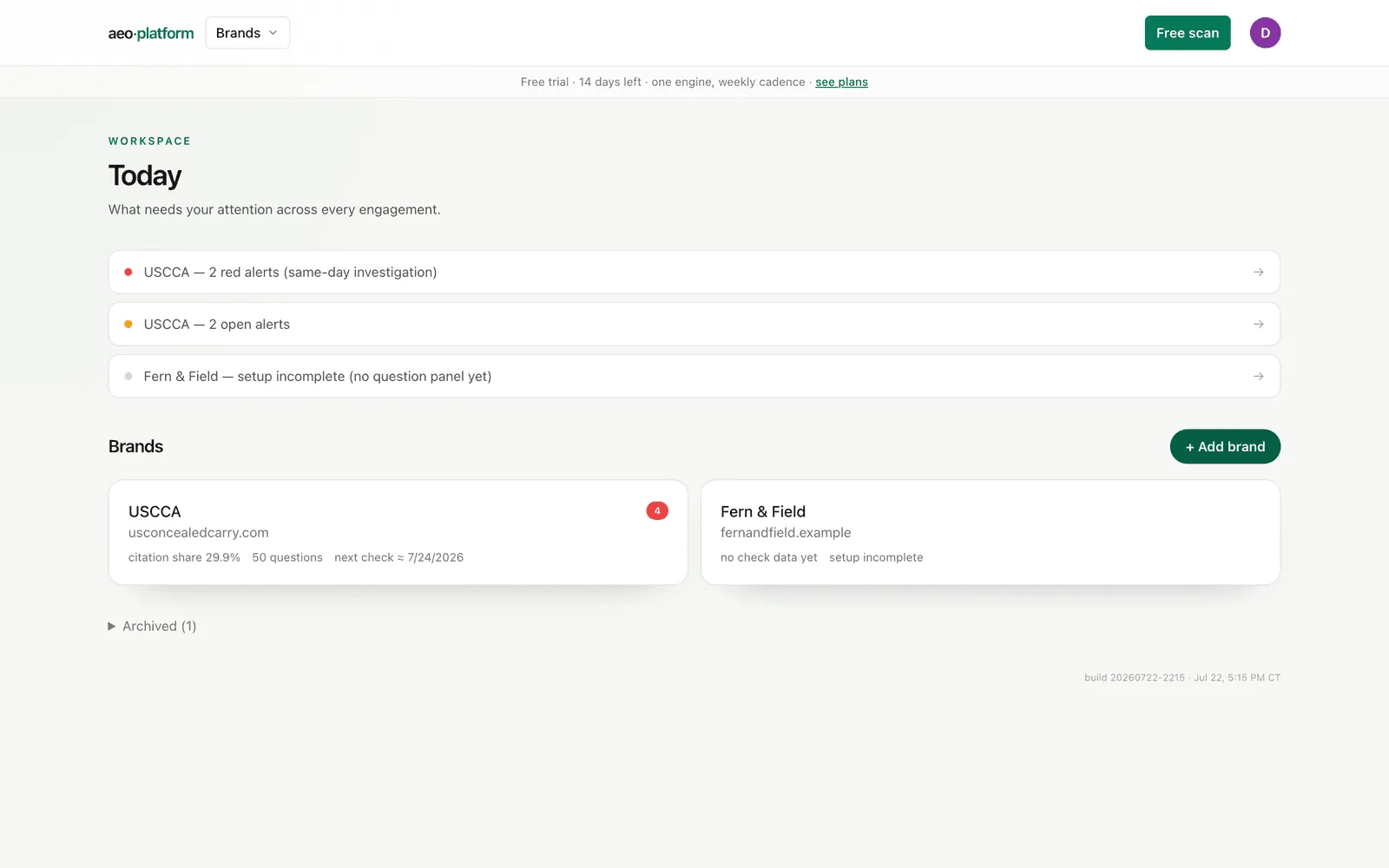
Today is where you land after signing in. It is the across-everything view: what needs your attention, and a card for each brand you can open.
The attention queue
Section titled “The attention queue”The top of the screen is a prioritized queue, ordered so the most urgent thing is first:
- Red alerts — something moved in a way worth looking at.
- Setup-incomplete — a brand still needs a step (approve a fact sheet, connect a source).
- Recent check completions — a run finished; the Scorecard has fresh numbers.
If the queue is empty, nothing needs you right now.
Brand cards
Section titled “Brand cards”Below the queue, each brand shows its headline numbers inline: citation share, how many questions are tracked, and roughly when the next check runs. Click a card to open that brand on its Overview home.
Add a brand
Section titled “Add a brand”The + Add brand button next to the Brands heading (account owners only — invited analyst and viewer seats don’t see it) asks for a name and a website, nothing else, and its submit button says Run discovery — because that is exactly what happens next. The tool researches the brand live while you watch, then walks you through approving what it found, step by step, until the first check is running. The whole flow: Add a brand (guided setup). (Discovery costs a little in AI usage, so add real brands, not throwaways.)
Because every brand gets its own workspace, adding a brand also creates the sharing boundary you will later invite clients into. See Teams.