Answers
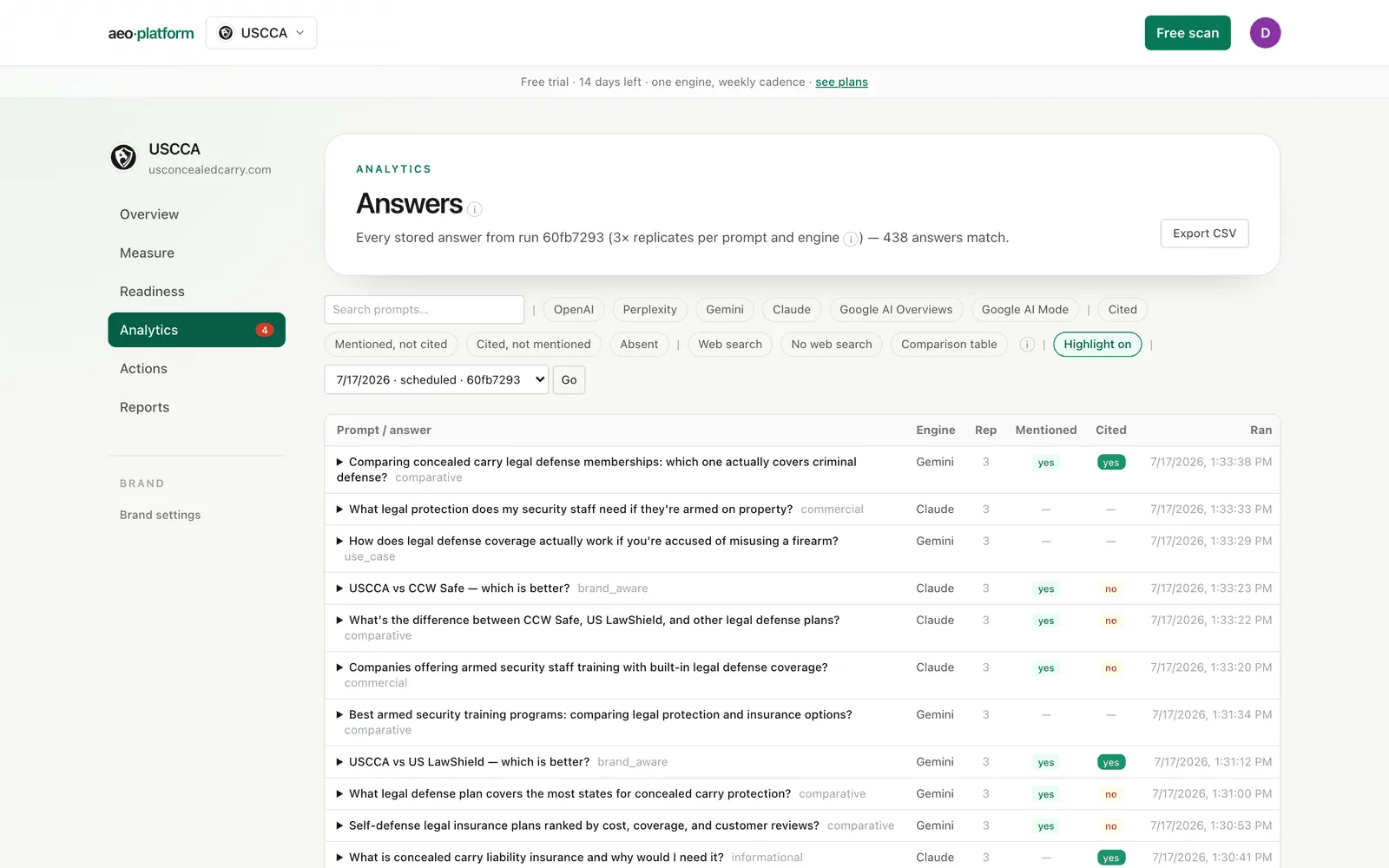
Answers (under Analytics) is the raw material behind every number on the Scorecard: every AI answer the tool collected on the latest run, with badges for whether you were mentioned and cited. If a number ever looks surprising, this is where you go to see the actual sentences.
What you are looking at
Section titled “What you are looking at”Each row is one answer from one engine on one replicate. The columns tell you the engine, which replicate, and the two verdicts: Mentioned and Cited. The header tells you which run these came from and how many replicates back each result.
Filters
Section titled “Filters”Narrow the log with the chips along the top:
- Engine — ChatGPT, Perplexity, Gemini, Claude, plus the Google AI Overviews and Google AI Mode surfaces.
- Verdict — Cited, Mentioned-not-cited, Cited-not-mentioned (a ghost citation), or Absent.
- Features — Web search (the engine demonstrably retrieved from the web: its own captured searches or cited sources), No web search (it answered from its trained weights alone — a different battle: long-term entity presence, not citable pages), and Comparison table (the answer contains a table, the commercial format where being absent costs purchases). Consumer-UI modules that never appear in API responses (ads, maps, the shopping carousel) are deliberately not offered as filters rather than guessed at.
- Run — switch to an earlier run from the dropdown.
- Search — filter by prompt text.
The filters make specific questions answerable in one click, for example “show me every ghost citation,” “show me where I was absent on Gemini,” or “which answers came from the model’s memory with no web search at all.”
Highlight
Section titled “Highlight”The Highlight toggle paints your brand’s mentions directly into the answer text, so when you expand a row you can see exactly where (and whether) you were named.
Expanding a row
Section titled “Expanding a row”Click a row to expand it. You get:
- The full answer text (highlighted if Highlight is on).
- The cited sources as domain pills, with your own domain marked.
- The engine’s own searches — the query fan-out, the actual phrasings that engine searched while answering, each tagged with its intent and type (search / synthetic / shopping).
Export
Section titled “Export”Export CSV downloads the full filtered set for your own analysis.