GA4 setup
GA4 setup is a workspace-level reference, not tied to one brand or part of the primary navigation. It is a setup explainer for the AI-traffic channel in Google Analytics 4. Out of the box, AI-referred sessions hide inside Direct and Referral; this page gives your analytics owner the canonical regex to make them their own channel. The division of labor is simple: the platform maintains the regex and flags it here when the quarterly review updates it; you implement it once in your own GA4 property.
That in-property channel is for your dashboards. The tool’s own AI-influenced revenue KPI does not depend on it: once you connect GA4 on Connections, the platform applies this same regex on its own side, so you get the KPI whether or not you build the channel inside GA4.
Who does what
Section titled “Who does what”- The platform: stores the canonical regex, verifies it, reviews it quarterly, and shows the review status here.
- Your analytics owner: pastes the regex into the GA4 property once (steps below) and re-pastes when this page announces an update.
Step 1 — create the custom channel
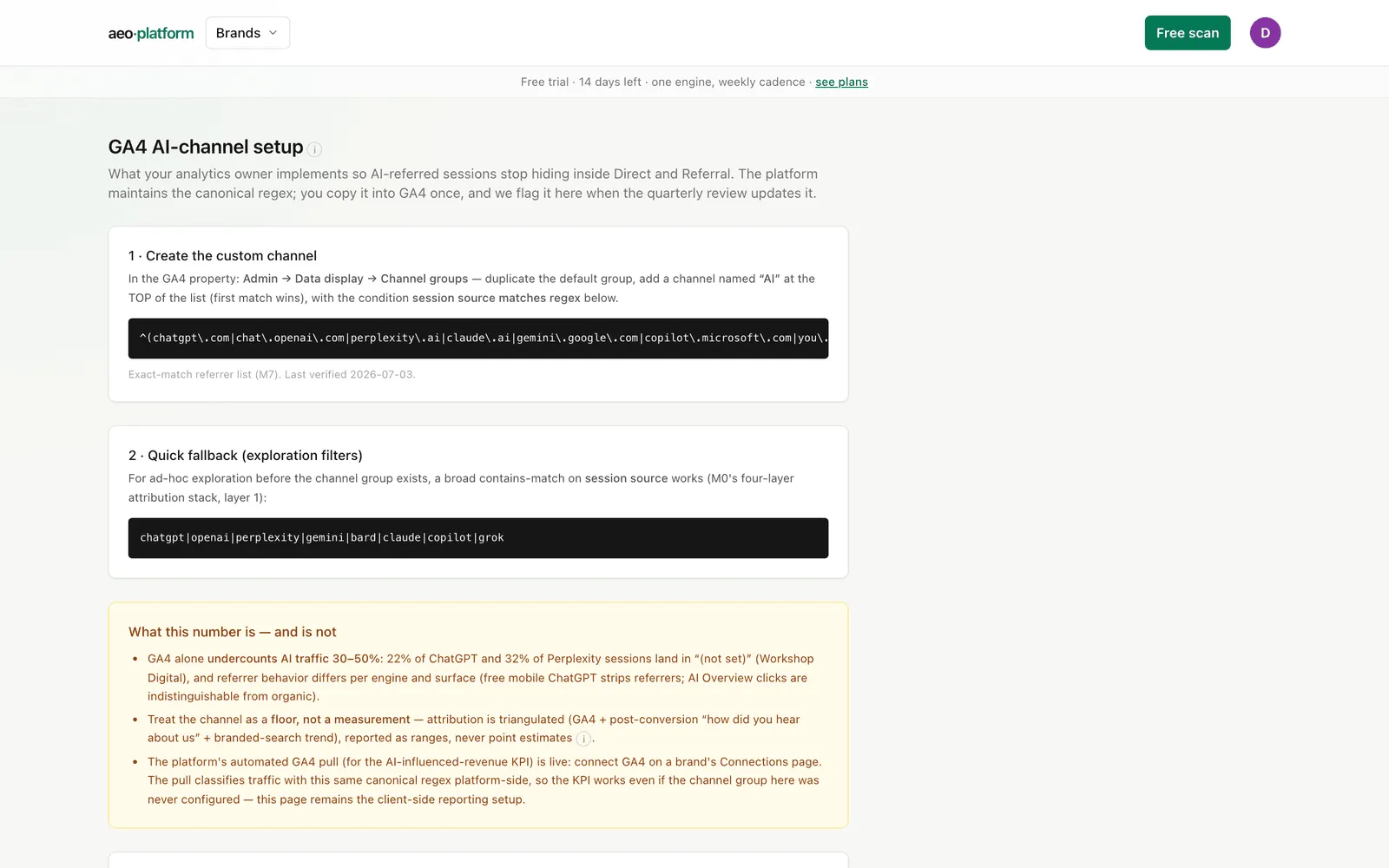
Section titled “Step 1 — create the custom channel”In the GA4 property, go to Admin → Data display → Channel groups, duplicate the default group, and add a channel named “AI” at the top of the list — GA4 uses the first match that wins, so position matters. Its condition is session source matches regex, using the exact-match referrer regex shown on the page. Copy it verbatim; the page notes when it was last verified.
Step 2 — quick fallback for exploration
Section titled “Step 2 — quick fallback for exploration”Before the channel group exists (or for one-off digging), a second, broader contains-match regex on session source works in GA4’s exploration filters. It is a convenience for ad-hoc analysis, not a replacement for the channel.
What this number is — and is not
Section titled “What this number is — and is not”An amber card spells out the honest limits of the method, and it is worth taking seriously:
- GA4 alone undercounts AI traffic by roughly 30–50%. A large share of ChatGPT and Perplexity sessions arrive with no usable referrer and land in “(not set)”, and behavior differs per engine and surface — free mobile ChatGPT strips referrers, and AI Overview clicks are indistinguishable from ordinary organic clicks.
- Treat the channel as a floor, not a measurement. Attribution is triangulated — the GA4 channel plus post-conversion “how did you hear about us” plus the branded-search trend — and reported as ranges, never point estimates.
- The automated GA4 pull is now live. Connect a property on Connections (a one-time OAuth, the same pattern as Search Console) and the platform reads GA4 directly, classifying AI traffic with this same regex on its own side. The AI-influenced revenue KPI on the Scorecard then shows an observed floor with an inferred corrected range. Until a property is connected it honestly reads “not yet instrumented” rather than faking a number.
Quarterly review
Section titled “Quarterly review”Referrer patterns change as engines update their apps, so the regex is reviewed quarterly. The last card shows the next review date — and turns red with an OVERDUE flag when that date has passed, so a stale definition cannot sit unnoticed. The regex itself lives in platform configuration (editable in Platform settings); updating it there updates this page for everyone.
Related
Section titled “Related”- The KPI this groundwork feeds: Scorecard (AI-influenced revenue).
- Where the other data sources connect: Connections.
- Observed vs inferred numbers: Glossary.