Public free scan
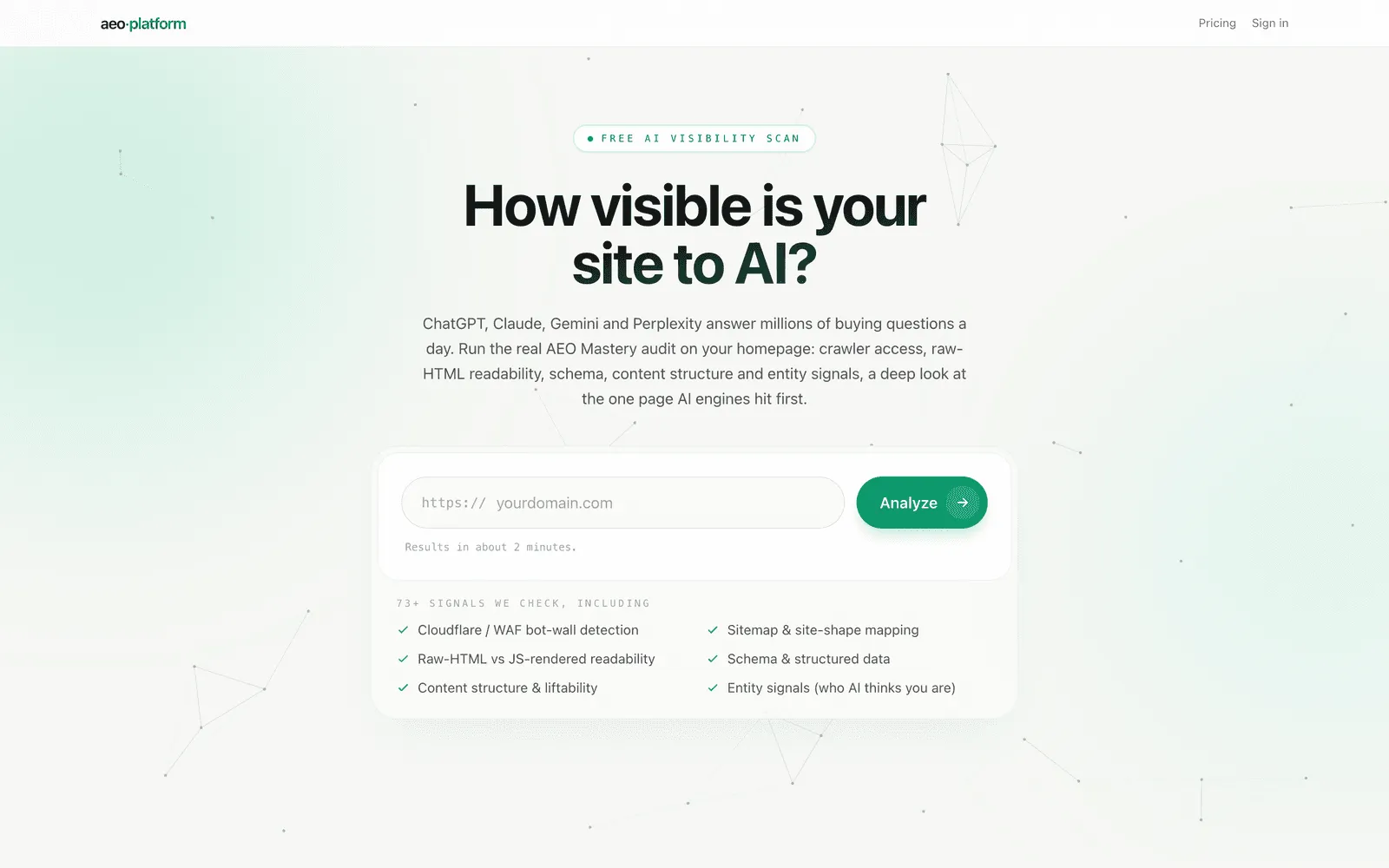
The public free scan at app.answerworthy.ai/scan needs no login. Enter a domain to measure how well AI engines can reach, read, and understand its homepage. You see your score and headline verdict free; the full report unlocks with a free account.
Start a scan
Section titled “Start a scan”Enter a domain, with or without https://. The scan page also accepts a domain in the address itself: a link to /scan?domain=yourdomain.com arrives with the field already filled in, and adding &autostart=1 starts the scan immediately — this is how the scan bar on answerworthy.ai hands you over already scanning. All the usual limits apply either way. The free scan audits the homepage only. It checks site foundations, crawler access, machine readability, content extractability, and entity signals. It also maps the site’s shape from its sitemap and selected reachability checks.
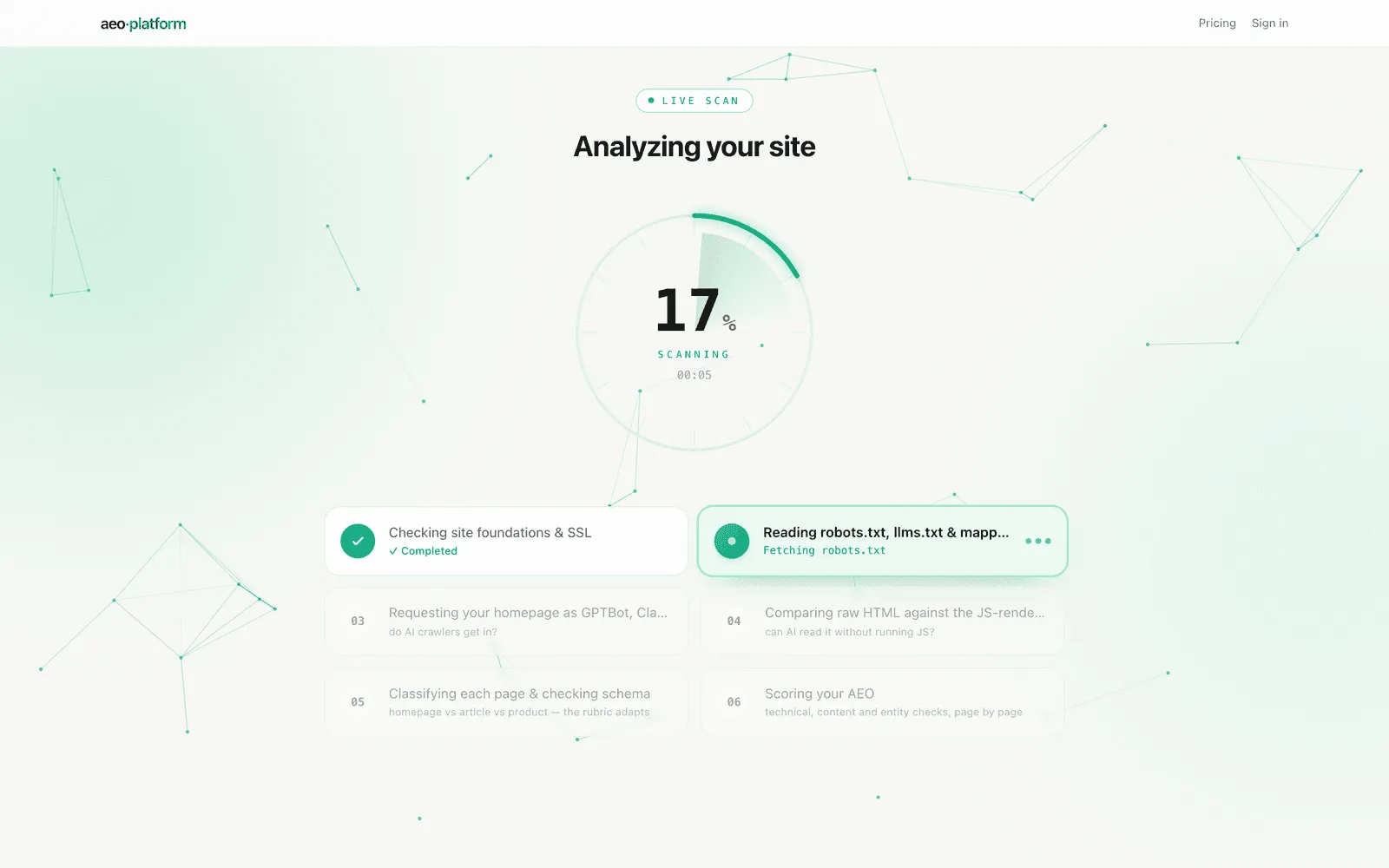
The scan console shows live stages while the audit runs: a radar-style progress dial with elapsed time, and six stage cards that light up in turn — the active card lifts and rolls the real sub-tasks of that stage under its title. The pacing follows the measured typical scan time, and the display is a progress view, not a claim that a check has completed before it has.
Read your report
Section titled “Read your report”The result opens with the scanned domain, its favicon, and the verdict badge on one headline line, the scan time beneath, a count-up AEO Readiness dial, and passing, failing, and warning counts that make the result easy to scan. The dial shows the Readiness score — a severity-weighted index from 0 to 100, the one headline number, the same figure the category scorecard, the brand Overview, and your Readiness history all carry, so there is never a second, different “score” a scroll away. A framed “As rendered” thumbnail beside those counts shows the above-the-fold view of the homepage exactly as the scanner’s browser rendered it. Both the favicon and the thumbnail appear only when the homepage was genuinely read: a challenged or blocked scan shows neither, never a placeholder pretending to be the page.
Without an account you see the score summary, the points-within-reach projection, and — only when crawler access is not cleanly open — an AI crawler access alert card: an overall Blocked / Challenged / Reachable-via-engines badge over a per-bot checklist showing how each major AI crawler (GPTBot, ClaudeBot, PerplexityBot, bingbot) fared, with a bot-wall status when a CDN or WAF intervenes — plus a blurred preview of the rest. A crawler that returns a clean 200 shows a check; one that is challenged or blocked shows the reason; a crawler the scan could not probe is labelled rather than shown as a pass. When every probed crawler got in cleanly the card does not appear at all: crawler access is a gate, and a passed gate is reported once, in the scorecard’s Crawl Access category, rather than as a second banner. Creating a free account unlocks the full report and links this scan to your new account:
- Category scorecard rolls the audit into five parent categories (Crawl Access, Structured Data & Context, Entity & Reputation, Answer Liftability, and Site Foundation), weakest first, and is the single home of every check: expanding a category shows all of its checks grouped by layer, passes included, with a plain-language legend and a fix recipe under every failure. It keeps the numeric score as the headline (with its Poor to Excellent descriptor) over a row of per-category rings, and every check row expands to an evidence-first view, the exact request and status behind the verdict. A failed gate check caps its category (a Score capped tag), and a layer the render gate kept from running shows as Locked, never as a passing score. The panel header carries the same Readiness score shown on the hero dial, and a footnote states how many catalog checks applied to this site.
- A sticky jump bar (Score, Scorecard, Roadmap, Evidence — plus Crawler access whenever that alert card is shown) stays at the top of the report so you can move between sections without scrolling through everything in sequence.
- Implementation roadmap ranks open issues by leverage. Each item shows its estimated points, priority, effort, and time, so you can start with the most valuable work.
- Detailed analysis covers raw-HTML readability, structured data (with each field’s actual on-page value shown), the homepage findings, technology detection, analytics and marketing tags, site shape, and any engine reachability evidence. A view the raw HTML we scored evidence link appears under the scorecard where a raw fetch was stored.
Account creation is passwordless (magic link or Google), takes under a minute, and is free with no card and no time limit: you land straight back on this scan with everything open. Measurement of what AI says about you is the paid step, starting with the one-time $50 baseline audit.
Schema requirements for your kind of business
Section titled “Schema requirements for your kind of business”The schemas your business needs is one comprehensive table built from what kind of business the scan reads you as — declared by your own schema markup where possible, otherwise our best-fit classification (the card says which, and why). Every expected schema type gets a row with an honest state: Missing, Unreadable — rename (your markup uses a name that is not a real schema.org type, so the fix is renaming it — not adding a duplicate), Present, generic (a generic type fills the slot; the specific type is what vertical AI answers key on), Present, thin, Present, incomplete, or Complete. Rows the scan finds beyond the expected set are listed under Also on your pages, and for local-flavored businesses the table highlights the fields to fill first (phone, address, hours, coordinates, service area). A Structure & hygiene section in the same card flags duplicate or restated entity definitions and entity-graph problems, like @id references that point at nothing.
Schema and structured data
Section titled “Schema and structured data”Schema & Structured Data validates the JSON-LD on the homepage against the AEO-relevant schema.org types. Expand a type to see required and recommended fields, descriptions, warnings, and missing properties. If JSON-LD was found, you can open View your structured data (raw JSON-LD).
The card also says whether the schema is Readable without JavaScript. AI crawlers that do not render JavaScript only see JSON-LD in the initial HTML. If your schema is injected after load, the report calls that out and links to the relevant fix guidance.
Tech stack and tags
Section titled “Tech stack and tags”Tech stack identifies visible CMS, framework, hosting, CDN, server, and related technology signals from the response. For WordPress the detected version comes from the generator meta tag, or — when a site strips that tag — from the version stamps on WordPress core asset URLs. When a CMS version is confidently detected and it is behind the current stable release, the card adds an Outdated — latest is vX.Y.Z note: a routine maintenance and security signal, sourced from the official release feed and refreshed daily. If the version (or the latest release) cannot be confidently determined, no currency claim is made. Analytics & marketing tags lists detected GA4, Google Tag Manager, Google Ads, Meta Pixel, Search Console, Hotjar, LinkedIn Insight, TikTok Pixel, X/Twitter Pixel, Pinterest Tag, Snapchat Pixel, Reddit Pixel, Microsoft Ads (Bing UET), and other supported tags, including the public account or pixel IDs exposed in the page source. When a tag’s loader is present but its ID is not exposed, the card says so instead of guessing.
Bot-walled sites
Section titled “Bot-walled sites”A bot-wall does not automatically produce an empty result. When the scanner is challenged but an AI engine can fetch the homepage from its own verified-bot infrastructure, the report produces an INFERRED partial result. Content and reachability findings can still be measured, while raw-markup-only checks (canonical tag, viewport, headings, title/description, internal links, schema, and the like) are marked not measurable rather than falsely failed — the recovered page is cleaned text with the HTML tags stripped, so a missing tag there is our blindness, not a real absence. Those checks are excluded from the score rather than counted as failures, so a walled site is never penalised for signals we could not read.
The score reflects only what was genuinely measured, and the report says so plainly: a coverage line on the result states how many checks could not be measured (for example, “28 of 64 checks couldn’t be measured”) and why, with the two ways to unlock them — allow-list our verified auditor at your CDN or WAF, or connect Google Search Console (Connections), whose view of your site is not IP-blocked. The bot-wall itself is scored once, as a single AI crawler access finding, not smeared across unrelated checks.
Save and re-scan
Section titled “Save and re-scan”Every scan has a shareable /scan?id=... URL (the address bar always carries it). Signing in returns you to the same result and unlocks its full per-check breakdown. Scans you run while signed in also appear in Agency scan history.
A repeat scan can return the most recent result during the re-scan cache window (a platform setting, six hours by default). The page says exactly when a fresh scan becomes available. Tracking a site as a brand gives you ongoing score tracking and fresh re-scans — and the Track this site as a brand button on a completed scan carries that scan over as the new brand’s first Readiness history point, so your history starts from the report you are already looking at.
Limits and next steps
Section titled “Limits and next steps”Free scans have a per-IP daily limit. When you reach it, the page shows a live reset countdown and offers sign-in for unlimited scans. Each visitor can also scan a given site up to three times without an account; after that, the page offers a free account for unlimited re-scans and score tracking. A global daily safety cap remains in place.
To keep your complete report and follow the fixes, create a free account. For a catalog of every coded check in the scan, open What the scan checks.
Related
Section titled “Related”- Marketing home explains the wider platform before you scan.
- Agency keeps your signed-in scan history and brand roster together.