Add a brand (guided setup)
Adding a brand is a guided flow, not a form. You type a name and a website; the tool researches everything else — identity, facts, competitors, market — and walks you through approving it, step by step, ending with the first check already running. Nothing becomes ground truth without your sign-off, and nothing asks you to type what discovery can find with a cited source.
The form: name and website, nothing else
Section titled “The form: name and website, nothing else”The + Add brand button next to the Brands heading on Today (account owners only — analyst and viewer seats don’t see it) opens the two-field form.
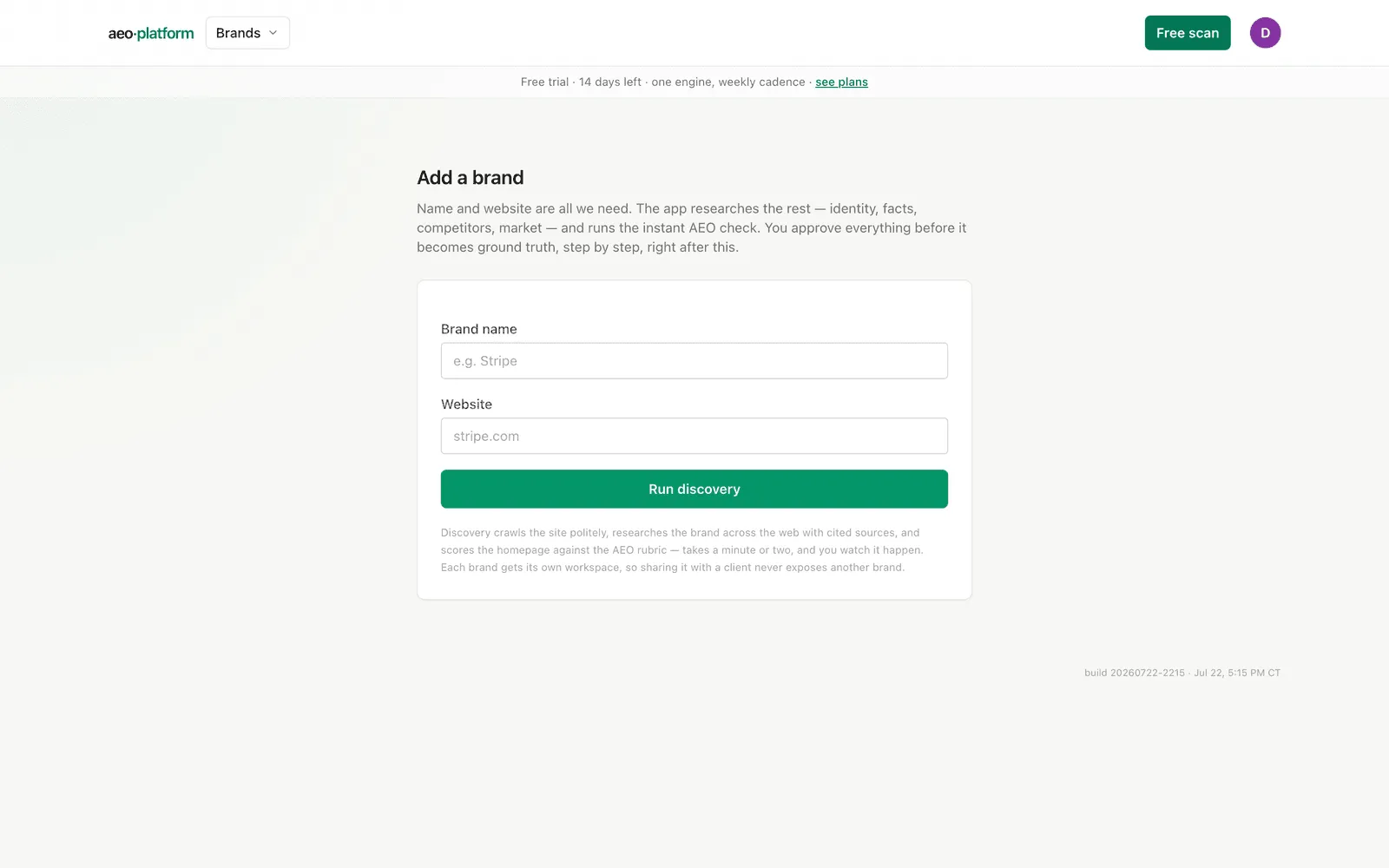
There is no industry field and no aliases field — earlier versions asked for these, but discovery researches them with cited sources and you approve them a minute later, which beats typing them from memory. The submit button says Run discovery because that is literally the next thing that happens.
Each brand gets its own workspace on creation, so adding a brand also creates the sharing boundary you can later invite a client into (see Teams). Discovery costs a little in AI usage, so add real brands, not throwaways.
Step 1 — watch discovery run
Section titled “Step 1 — watch discovery run”Submitting lands you on the setup screen (no sidebar — the flow owns the screen until setup completes) with a five-stage rail across the top: Discovery → Facts → Competitors → Connections → Questions.
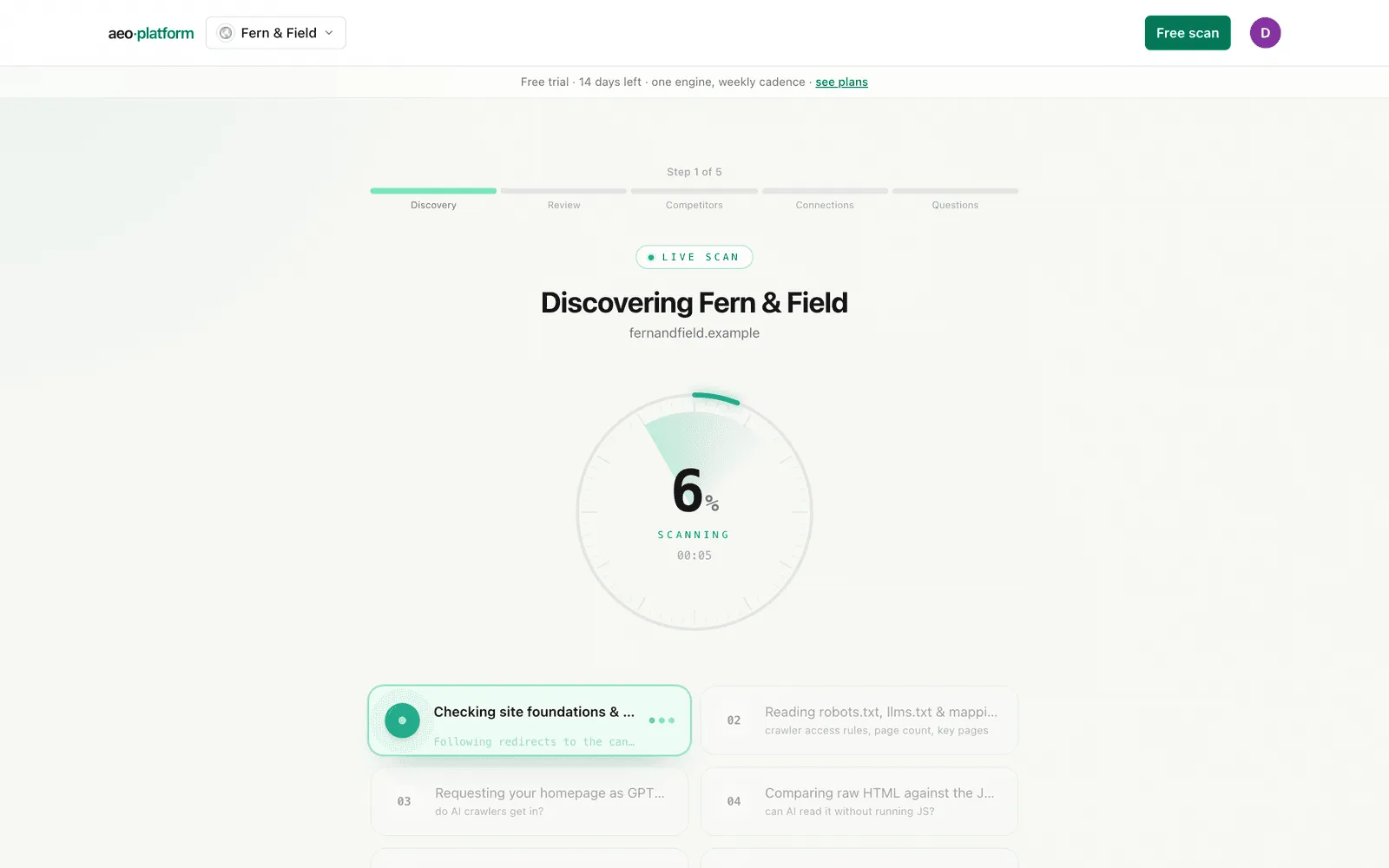
The first stage is a live show of the research that is actually running: crawling the site politely, researching the brand across the web with cited sources, requesting the homepage as GPTBot / ClaudeBot / PerplexityBot, reading robots.txt and llms.txt, scoring the AEO rubric, and composing the draft profile. The animation paces itself on elapsed time, but it never claims a stage finished that hasn’t — completion comes only from the real polled state, the same honesty rule as the free scan. It typically takes a minute or two; challenged or slow sites take longer, and the page says so rather than stalling silently.
When discovery lands you get the reveal: the instant Readiness score plus counts of facts, competitors, and aliases found. The score is honest about its own gaps — a Cloudflare-challenged homepage shows gate-blocked (recorded, not scored as zero), and if the audit is still trailing the research it says still scoring… instead of inventing a number.
If discovery fails
Section titled “If discovery fails”The show stops with the real error and a Retry discovery button. Only after a retry has also failed does a “continue without research” escape appear — the fact and competitor steps then show their honest empty states, and factuality checking stays off until a fact sheet is approved later on the Brand profile.
Step 2 — approve identity and facts
Section titled “Step 2 — approve identity and facts”“Is this your brand?” — the researched identity (name, legal name, aliases, industry) and the fact sheet, each fact with its source. These are the same rows you would later see on the Brand profile, and approving here does exactly what approving there does: the facts become the ground truth that AI answers are checked against. Everything stays editable on the Brand profile afterwards; approval is a starting point, not a lock.
Step 3 — track competitors
Section titled “Step 3 — track competitors”Discovery’s suggested competitors each get a one-click Track button, and a small form adds any it missed (name + domain). Two or three is the sweet spot — every tracked question measures them alongside you (mentions, citations, share of voice). You can continue with fewer, but the flow tells you plainly what that costs: measurement runs, share-of-voice just loses its comparison context.
Step 4 — connections (the only skippable steps)
Section titled “Step 4 — connections (the only skippable steps)”Three cards: Google Search Console, Google Analytics 4 (with an in-flow property picker once you authorize), and a Cloudflare zone for AI-crawler logs. These are the only steps in the whole flow you can skip, because they are the only ones that need accounts you control — everything the tool can do by itself, it just does. Anything you leave unconnected is reported as unmeasured, never faked, and all three remain available on Connections whenever you’re ready.
Step 5 — build the panel and fire the first check
Section titled “Step 5 — build the panel and fire the first check”The wizard generates question suggestions from the approved research; you check or uncheck each, optionally add two paraphrase variants per question (roughly 3× the run cost, stated up front), then Activate & run the first check. That single click activates the panel, fires the baseline check across the engines, and completes setup. First results land on the Scorecard in roughly 10–15 minutes; trend claims wait for the honest 8-week window.
Setup is not optional
Section titled “Setup is not optional”Until setup completes, opening the brand from anywhere redirects back to this flow — there is no global “skip setup.” The researched-and-approved steps take seconds each and everything downstream depends on them, so the only skippable items are the external connections above. One kind of brand never sees the flow: brands that were already measured before the guided flow existed.
The flow is resume-safe: close the tab mid-setup and reopening the brand lands you on the first step that still has work. Viewer seats opening a brand mid-setup see a short “still being set up” note until the owner finishes.
Related
Section titled “Related”- Where the button lives: Today.
- Re-run discovery or edit any approved fact later: Brand profile.
- The connections in depth: Connections, GA4 setup.
- What the panel is and how to grow it: Questions.